

Enterprise Architect is a visual platform for designing and constructing software systems, for business process modeling, and for more generalized modeling purposes.
Enterprise Architect is based on the latest UML® 2.5 specification. UML defines a visual language that is used to model a particular domain or system (either proposed or existing).
Enterprise Architect is a progressive tool that covers all aspects of the development cycle, providing full traceability from the initial design phase through to deployment, maintenance, testing, and change control.
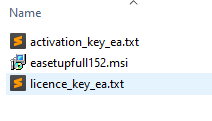
The license key, the activation key, and the installation file are attached.
We can start.
Step 1.
Open your browser and type this text: enterprise architect download cvut.
And search for it.

Step 2:
Open the first link.
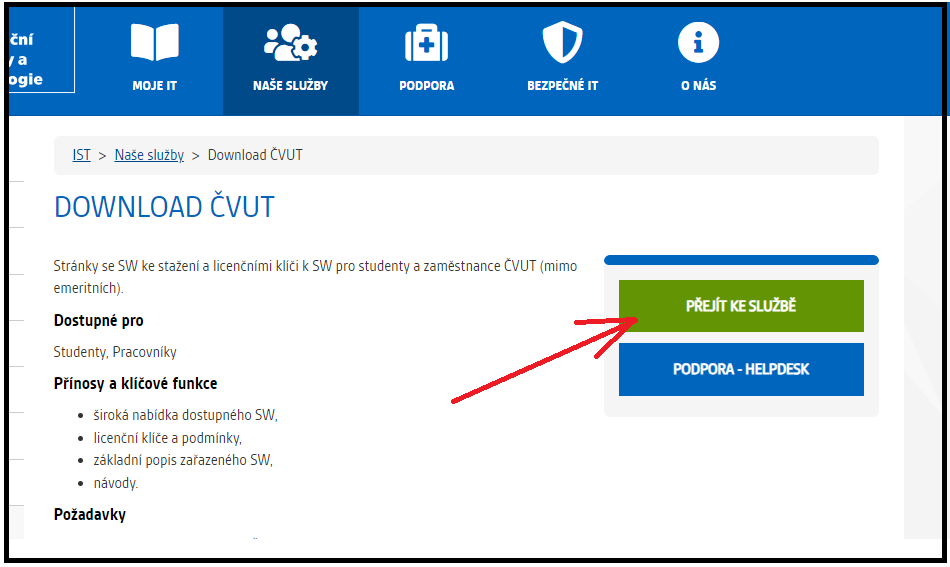
Step 3:
Now choose Vyvojove prostredi.
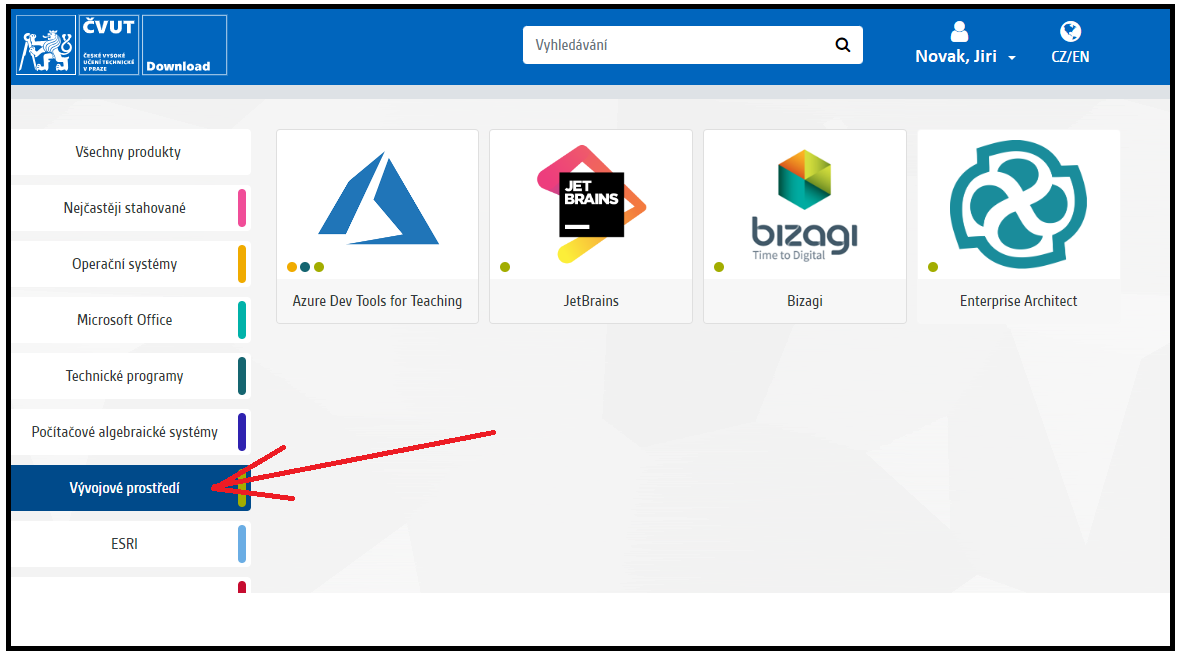
Then open a page with Enterprise Architect.
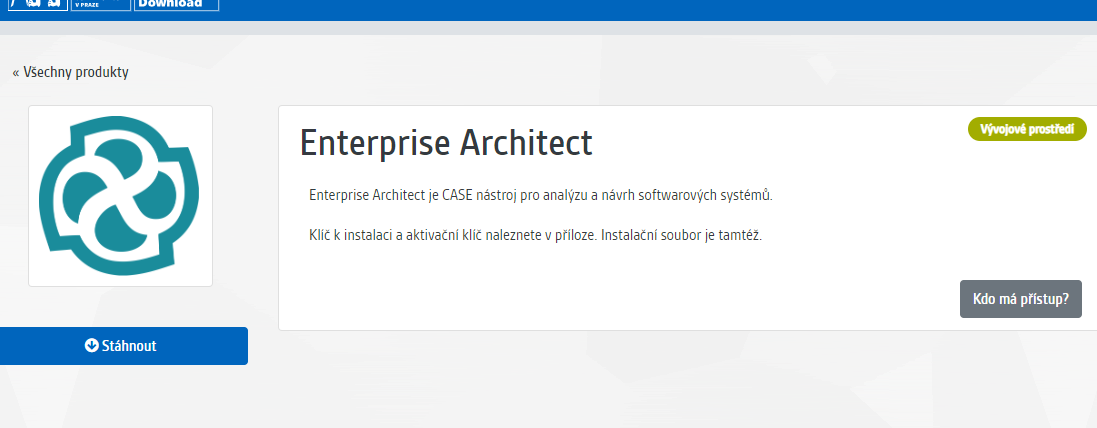
Step 4:
Now you can download this application.
Step 5:
Install Enterprise Architect.
Step 6:
When you finish the installation you need to activate a license.
Step 7:
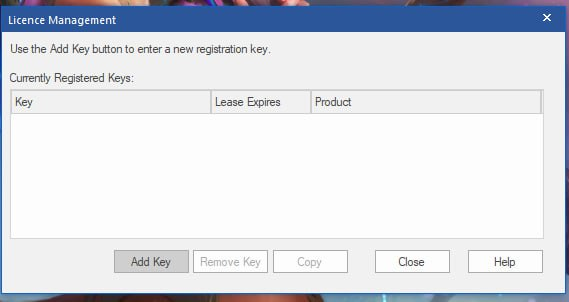
Enter the license key.
The registration key you can find in this file licence_key_ea.txt. 🇨🇿🇨🇿
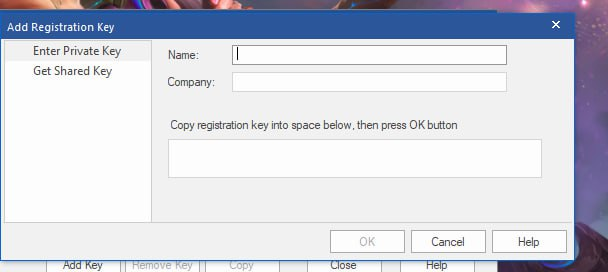
Enter your name: Jiri Novak
Enter your company: CTU in Prague
The registration key you can find in this file activation_key_ea.txt.
Step 8:
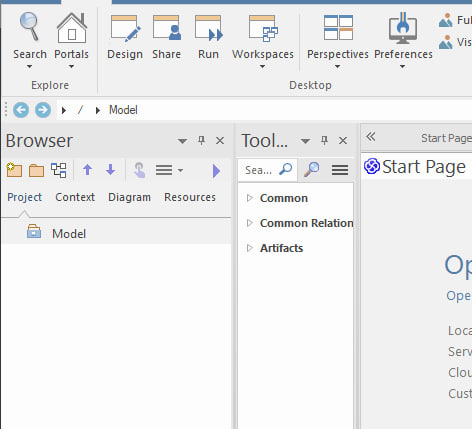
Excellent. And now just create a new project.
Step 9:
Now you can draw many UML diagrams.
Good luck!
If you have any other questions or ideas for what I could add, you can write me here.
More articles will be in this group.